On Synchronizing Marketing (or Anything Else) with Notion
Were Evernote a digital filing cabinet, Notion is a magical, digital cork-board. Because when your idea folders begin to fill, losing your sense of direction becomes easy.1
So I use Notion. More specifically, to keep marketing consistent, something critical to reaching audiences. And for those wanting to organize their life in general using Notion, these methods will help, too.
(1) Design Templates
Notion documents use blocks, which are considered any element — a table, an image, text, and so forth. You can arrange them however you like to display information how it suits a project best.
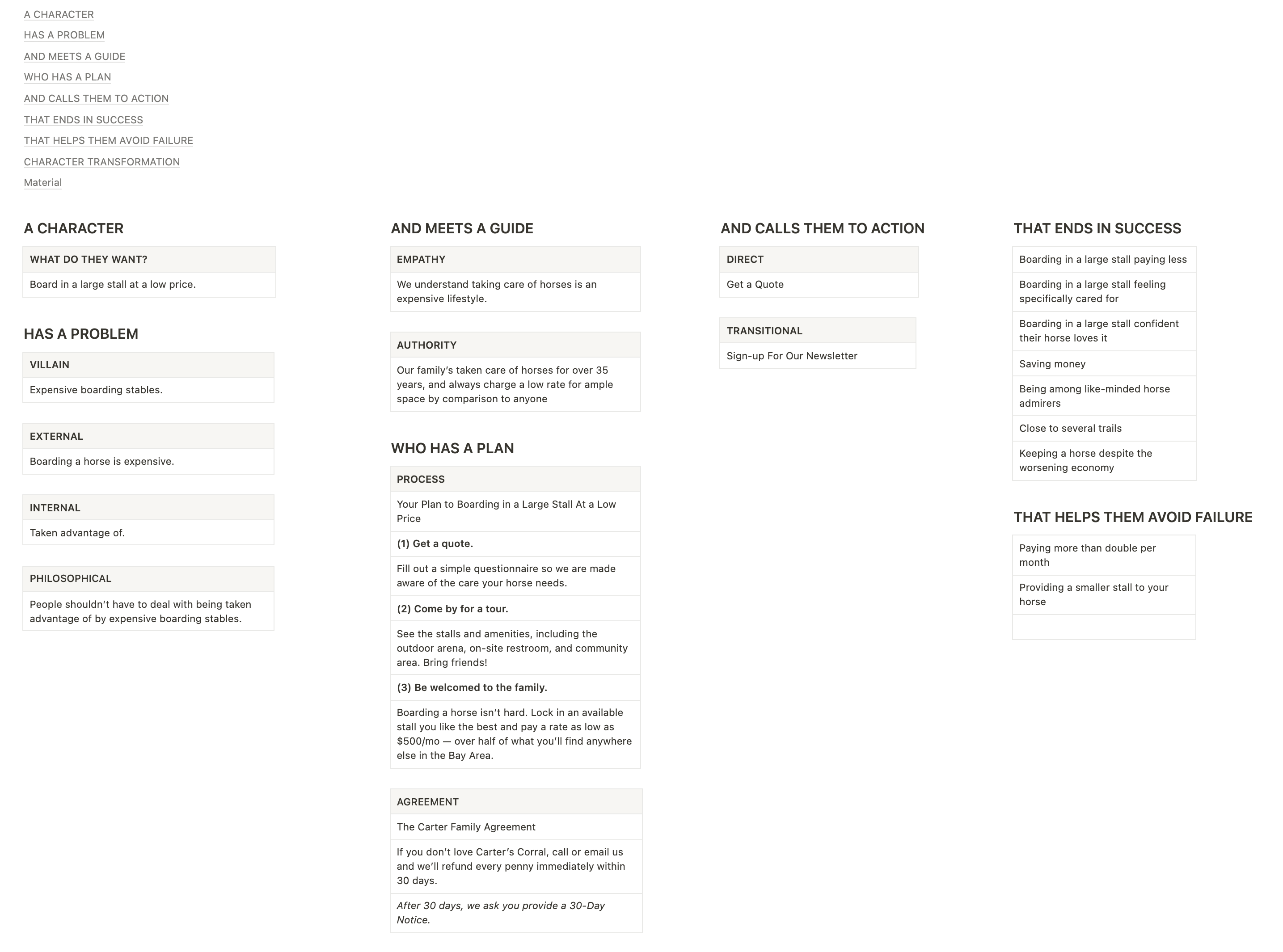
Create templates, in addition, and have a consistent, “cork-board”-style presentation across several documents. And it gets cooler.
(2) Use Databases
In addition to designing documents with more control, databases are how Notion organizes documents and, indeed, it’s superior to what Evernote, Google Docs, or a file-based system can do.
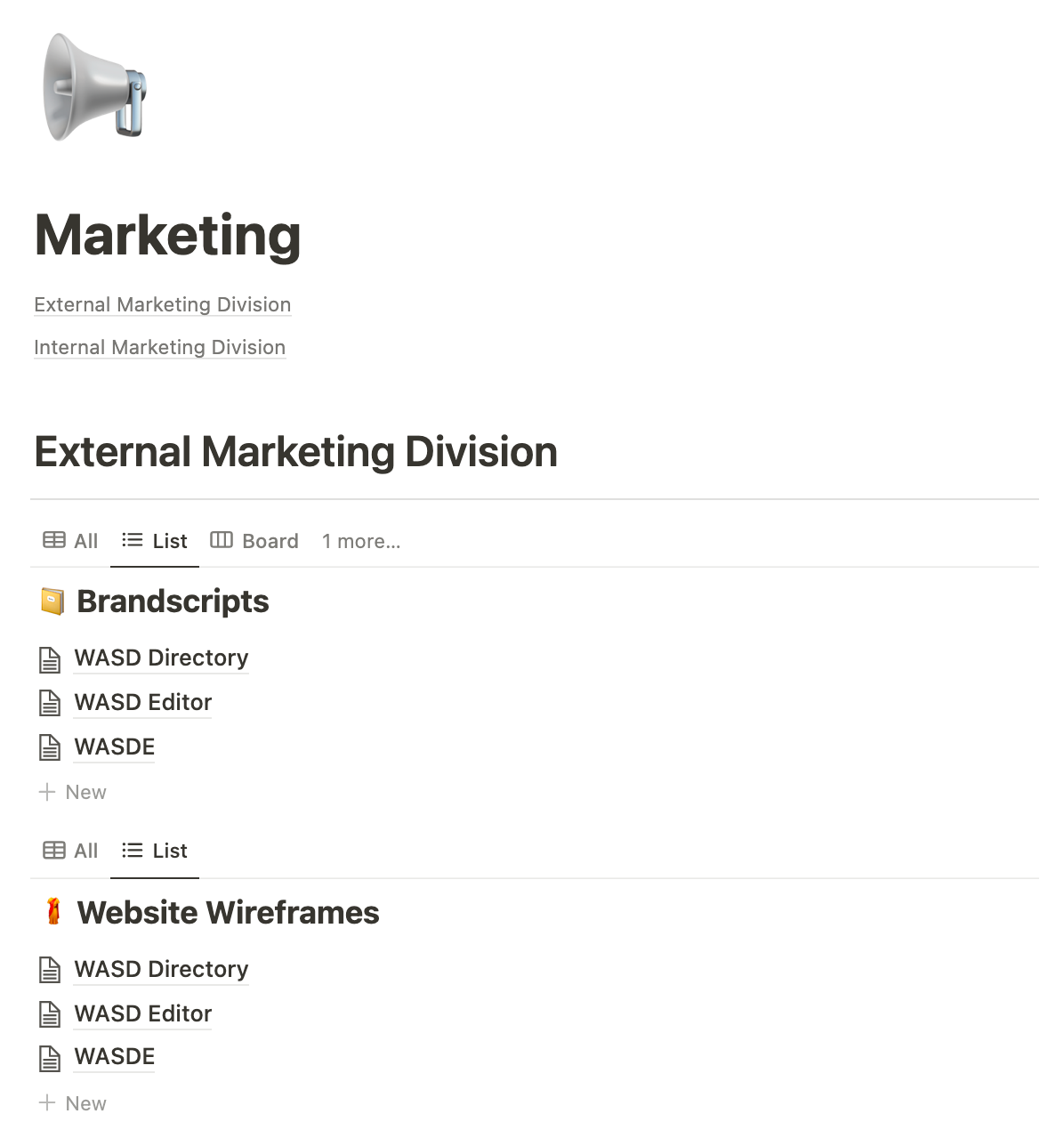
You can display documents in a Table, on a Board, this “List” layout, and more. I prefer List for easily copying from the BrandScripts to their respective Website Wireframes (see image).
As is my belief in a good video editing experience, so is the following: The less physical movement necessary, the better the outcome.
Notion offers an additional feature for aiding this copying process, which we’ll touch on next.
Within these databases are a plethora of early drafts, but with a click, they’re made invisible by the use of “filters.”
You can use a single database, if preferred, by creating additional filters. For example, hide anything but current Wireframes and BrandScripts, and group them separately. Notion, certainly, is about flexibility.
(3) Use Synced Blocks
Which brings us to a feature that blows Evernote out of the water.
By converting a block into a “synchronized block,” you can copy it to other documents, and any changes you make to this block will reflect between them all.
Does this seem overkill? I see it as forgetting Advil.
For instance, after creating a framework for a presentation, you create a YouTube script along with a cut-down, slightly rearranged script for TikTok.2
With synchronized blocks, say goodbye to more wasted time changing each document over a single revision: Change the framework, or change just one of the documents.3
(4) Use AI
AI is undeniably on the scene, so I was fretting about and mentioned.
Notion AI will generate material that references what you’ve created within the software. So if you need a newsletter for your business, you’ll get something more specific to your brand by comparison to asking ChatGPT.
AI is a waiting list feature and, admittedly, I’ve yet the chance to try. Since witnessing ChatGPT, though, and reading about Notion AI, my expectations are set high.
Conclusion
Use Notion when you need to stick stuff to the wall.
For general note organizing, still, I reccomend using Evernote. Besides it being a resource hog,4 Evernote can’t be beat as the ideal digital filing cabinet. Treat Notion as an almost finalizing zone to Evernote’s controlled chaos.
If you’re only looking for a solid writing experience, however, I recommend any distraction-free writing application. iA Writer or Ulysses, for example. It’s once your writing or business becomes more complex that you should really consider investing in an external brain.
For staying synchronized in your marketing, both metaphorically and literally by use of its A-grade features, use Notion. Oh, and it’s completely free.


 Take Note with Joe Carter
Leave a reply to josephantoncarter Cancel reply